
Fluent BI
AI-Powered Insights for Business Intelligence
Transform raw data into actionable insights with Fluent BI's AI-driven analytics, enabling businesses to create interactive dashboards and reports effortlessly.
What is Fluent BI?
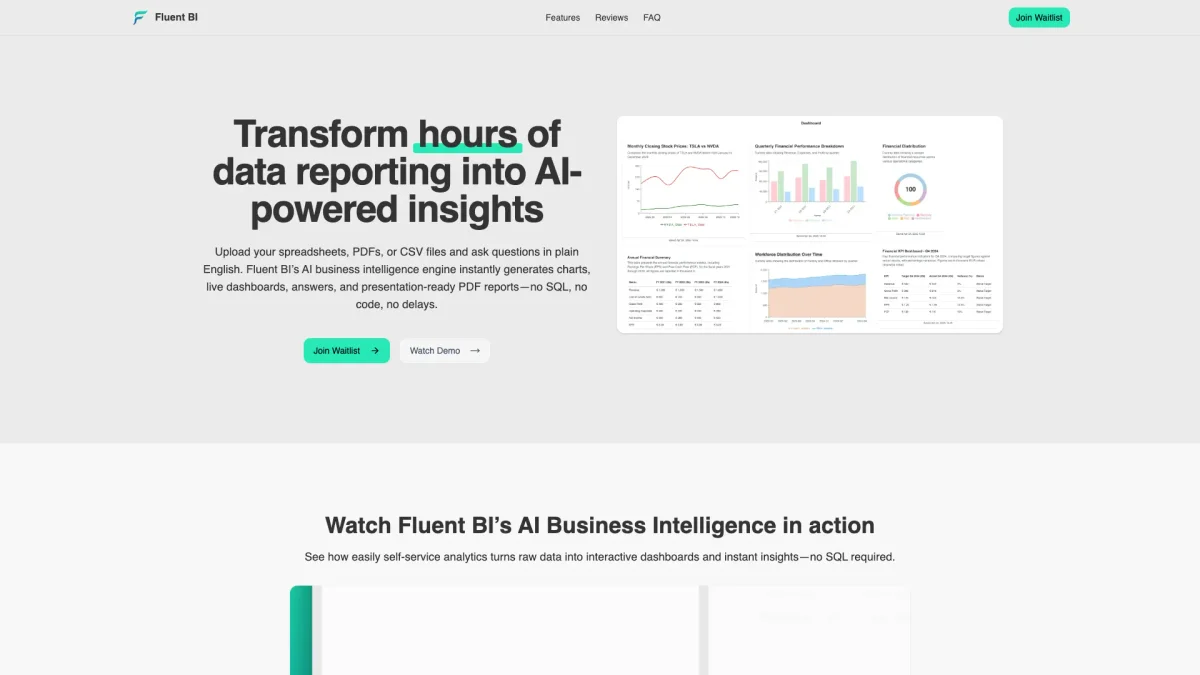
Fluent BI is an AI-powered business intelligence tool designed to convert complex data into intuitive insights without the need for coding or SQL expertise. Its primary purpose is to eliminate the challenges associated with manual reporting, allowing users to upload spreadsheets, PDFs, or CSV files and receive instant answers and visualizations in plain English. By automating data processing, Fluent BI addresses the problem of time-consuming manual reporting and provides real-time insights. The tool offers numerous benefits, including interactive self-service dashboards, one-click PDF reports, and live data visualizations that enhance collaboration among teams. Users can save up to 90% in reporting time and achieve insights within minutes, which significantly boosts productivity. Fluent BI is perfect for businesses looking to streamline their data analysis processes and make informed decisions quickly and effectively, all without requiring technical skills or extensive setup.
Key Features
- AI-powered data querying in plain English
- Instant generation of interactive charts
- Document intelligence for file parsing
- Live, shareable dashboards for collaboration
- One-click PDF report creation
- No SQL or coding required
- Real-time insights from multiple data sources
Who is it for?
- Business analysts and data professionals
- Small to medium-sized enterprises
- Marketing teams and consultants
- Financial analysts and accountants
- Project managers and team leaders
Use Cases
1. Instant Data Queries
Users can ask questions about their data in plain English and receive immediate insights. This eliminates the need for technical knowledge, allowing anyone in the organization to access critical information quickly.
2. Real-time Dashboards
Fluent BI enables teams to create interactive, shareable dashboards that reflect real-time data, improving collaboration and ensuring everyone has access to the latest metrics and insights.
3. Automated Reporting
With one-click PDF reports, users can effortlessly generate presentation-ready documents that summarize their findings, perfect for stakeholder presentations and client hand-offs.
4. Data Source Unification
The tool can parse multiple file formats including Excel, CSV, and PDFs, unifying disparate data sources into a single platform for analysis, thereby enhancing data consistency and accuracy.
Pricing Plans
Free: Up to 50MB of data, 100 messages per month, Pro: $49/month - 500 requests, unlimited projects, and more advanced features, Team: Custom pricing - Real-time collaboration and shared dashboards.
Frequently Asked Questions
1. What types of files can I upload to Fluent BI?
Fluent BI supports uploads of Excel, CSV, and PDF files. The platform instantly parses and cleans these documents to prepare them for analysis, allowing you to work with various data formats.
2. Is there a free version of Fluent BI available?
Yes, Fluent BI offers a free plan that allows users to explore self-service analytics with up to 50MB of data and basic AI chat capabilities, making it easy to get started without any financial commitment.
3. Can I cancel my subscription at any time?
Absolutely! Fluent BI provides simple subscription management, allowing you to cancel your plan anytime. You will retain access to your account and features until the end of your billing period.
4. How fast are insights generated with Fluent BI?
Users can expect to receive insights in approximately 5 minutes, which is significantly faster compared to traditional manual reporting workflows. This rapid turnaround time enhances decision-making processes.
Fluent BI Reviews & Ratings
Real user feedback and ratings for Fluent BI. See what the community thinks about this AI tool.
No reviews yet
Be the first to share your experience with Fluent BI