
Email Tracker
Track your emails for better engagement
Email Tracker enhances your Gmail experience with real-time tracking, automated follow-up reminders, and detailed insights to boost your email outreach effectiveness.
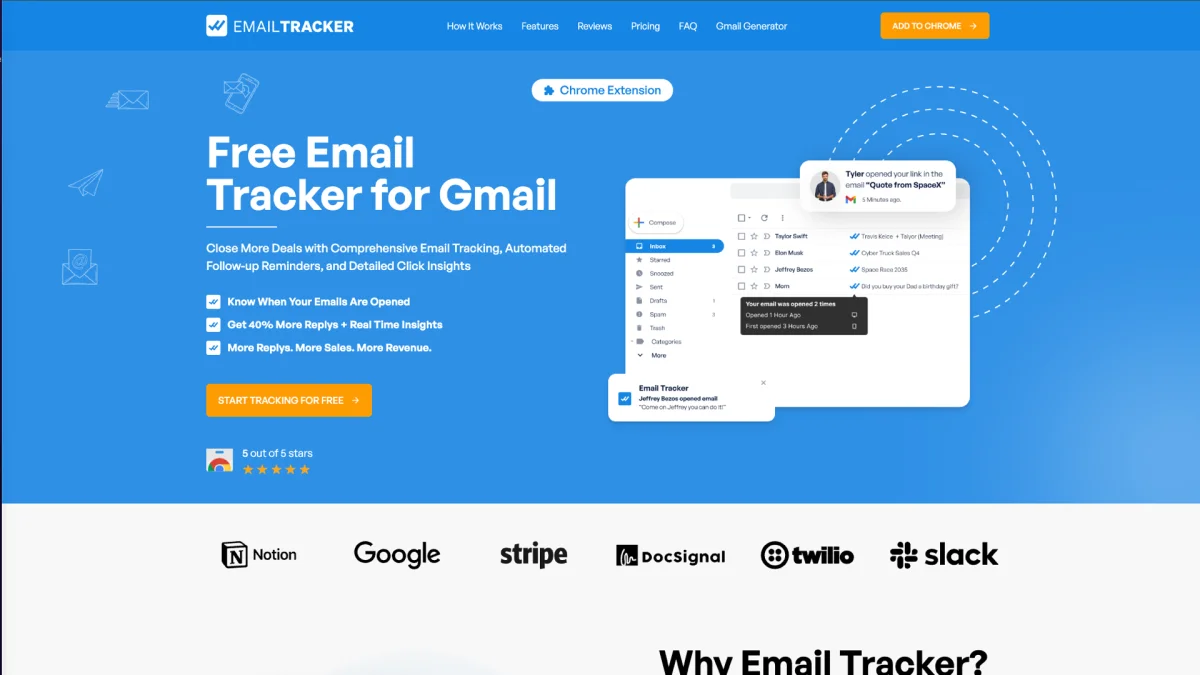
What is Email Tracker?
Email Tracker is a Chrome extension designed specifically for Gmail users to enhance their email communication strategies. Its main purpose is to provide real-time notifications about email opens, helping users understand how their messages resonate with recipients. By addressing the challenge of knowing whether emails are opened, Email Tracker enables users to engage more effectively with their contacts. With features like customizable alerts, detailed insights on email interactions, and the ability to track link clicks, Email Tracker significantly increases reply rates and sales opportunities. Users benefit from optimized email strategies that lead to higher engagement levels and improved revenue. Its user-friendly integration allows anyone to seamlessly enhance their email outreach without altering their existing habits.
Key Features
- Real-time open notifications
- Detailed email access insights
- Link and attachment tracking
- Customizable notification settings
- Visible and invisible tracking options
Who is it for?
- Sales professionals
- Digital marketers
- Customer success teams
- Freelancers and consultants
Use Cases
1. Sales Follow-ups
Sales professionals can use Email Tracker to know when potential clients have opened their proposals. This insight allows for timely follow-ups, increasing the chances of closing deals.
2. Customer Engagement Optimization
Marketers can analyze which emails receive the most opens and clicks, enabling them to refine their messaging and improve overall customer engagement through targeted follow-ups.
3. Performance Analysis for Campaigns
Businesses can track the effectiveness of their email campaigns by monitoring open rates and link clicks, allowing them to adjust their strategies based on real-time data.
Pricing Plans
Free: Unlimited emails tracked, Email Tracker signature, 20 invisible tracker emails, full tracking history, email alerts; Pro: $3.99/month - Unlimited emails tracked, unlimited link tracking, toggle invisible and visible tracker, full tracking history, email alerts, Chrome notifications.
Frequently Asked Questions
1. What features are included in the free plan?
The free plan includes unlimited email tracking, an Email Tracker signature, tracking history, and 20 invisible tracker emails, allowing users to start tracking without any cost.
2. How does Email Tracker ensure user privacy?
Email Tracker prioritizes user privacy by not storing any email addresses or content. It only tracks open dates and is committed to complying with GDPR and other privacy regulations.
3. Can I customize how I receive notifications?
Yes, Email Tracker allows users to customize their notification preferences, ensuring they receive alerts via Chrome notifications or email alerts according to their needs.
4. Is Email Tracker easy to integrate with Gmail?
Absolutely! Email Tracker is designed for seamless integration with Gmail, making it easy for users to start tracking their emails without changing their existing habits.
Email Tracker Reviews & Ratings
Real user feedback and ratings for Email Tracker. See what the community thinks about this AI tool.
No reviews yet
Be the first to share your experience with Email Tracker