

Editaimg
Transform Your Images with AI Editing
Editaimg empowers users to enhance and transform photos effortlessly with AI-driven tools for background removal, object replacement, and artistic style applications.
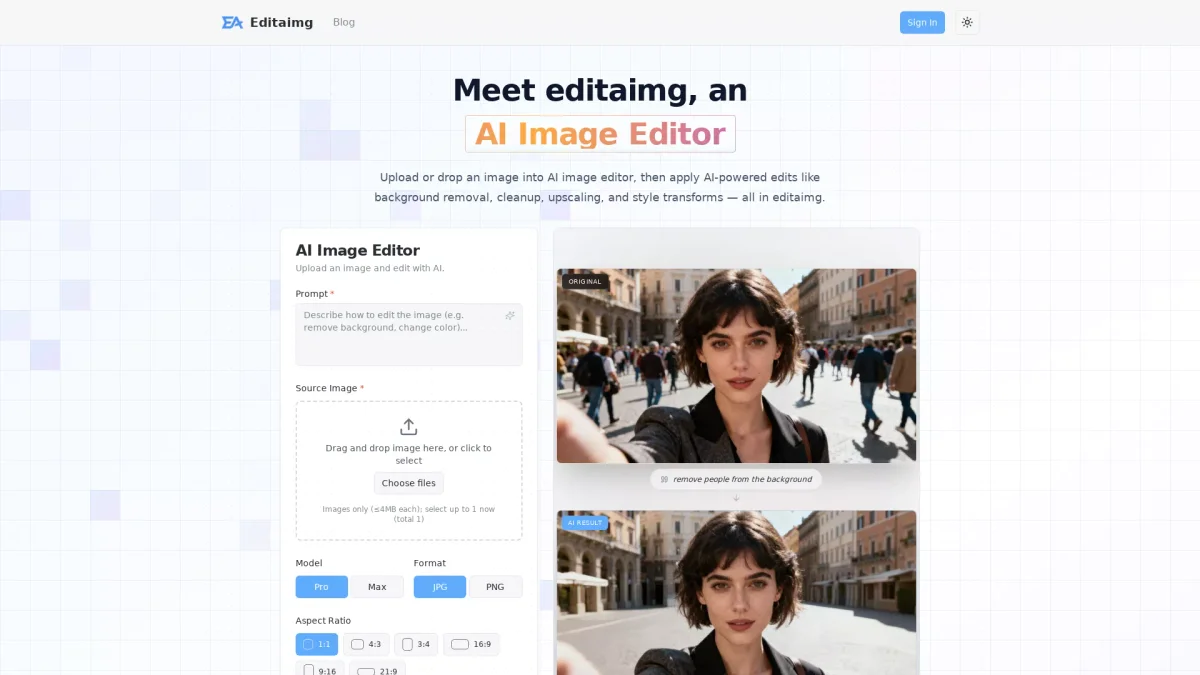
What is Editaimg?
Editaimg is a powerful AI image editing tool that simplifies the process of enhancing and transforming images. It addresses common challenges in photo editing, such as background removal and object manipulation, enabling users to achieve professional results without requiring advanced skills. Users can upload images and apply various AI-powered edits, ensuring an efficient and user-friendly editing experience. With features like instant previews, seamless object replacement, and text editing capabilities, Editaimg allows users to unlock their creative potential. The tool is designed for a range of applications, from e-commerce product shots to social media content, making it accessible for both casual users and professionals. By leveraging AI technology, Editaimg makes high-quality image editing straightforward and accessible, saving time and improving productivity.
Key Features
- AI-powered background removal
- Seamless object replacement
- Text editing with font matching
- Realistic snowfall effects
- High-resolution image upscaling
- Instant preview and one-click export
Who is it for?
- Content creators and bloggers
- E-commerce businesses
- Social media marketers
- Photographers and designers
Use Cases
1. E-commerce Product Photography
Enhance product images by replacing backgrounds or creating realistic settings, ensuring your products stand out online. Editaimg allows for professional-grade visuals that attract customers and boost sales.
2. Social Media Content Creation
Quickly generate engaging posts by adding or removing elements in photos. Use Editaimg to create eye-catching images that resonate with your audience and enhance your social media presence.
3. Personal Photo Enhancement
Transform your personal photos by removing unwanted objects or adding seasonal effects like snow. Editaimg makes it easy to create memorable images for sharing with friends and family.
Pricing Plans
Basic: $9.9 one-time payment - 160 credits for light usage, Standard: $29.9 one-time payment - 800 credits for regular creators, Pro: $49.9 one-time payment - 4000 credits for professionals.
Frequently Asked Questions
1. What types of image edits can I perform with Editaimg?
Editaimg allows you to perform various edits, including background removal, object replacement, image upscaling, and text editing. These features enable users to create professional-level images easily.
2. Do I need advanced editing skills to use Editaimg?
No, Editaimg is designed for users of all skill levels. Its AI-powered features simplify the editing process, allowing anyone to achieve high-quality results without professional experience.
3. How does the credits system work for pricing?
Editaimg operates on a credit system, where users purchase credits to perform edits. Each plan offers a different number of credits, which do not expire, allowing for flexible usage.
4. Can I remove watermarks from my images using Editaimg?
Yes, Editaimg includes a watermark remover feature that allows users to export clean images without visible watermarks, ensuring a professional finish for your projects.
Editaimg Reviews & Ratings
Real user feedback and ratings for Editaimg. See what the community thinks about this AI tool.
No reviews yet
Be the first to share your experience with Editaimg









