DiffusionBee
Create stunning AI art locally
DiffusionBee is a powerful toolbox that enables users to generate and edit AI art locally on their macOS devices with ease and speed.
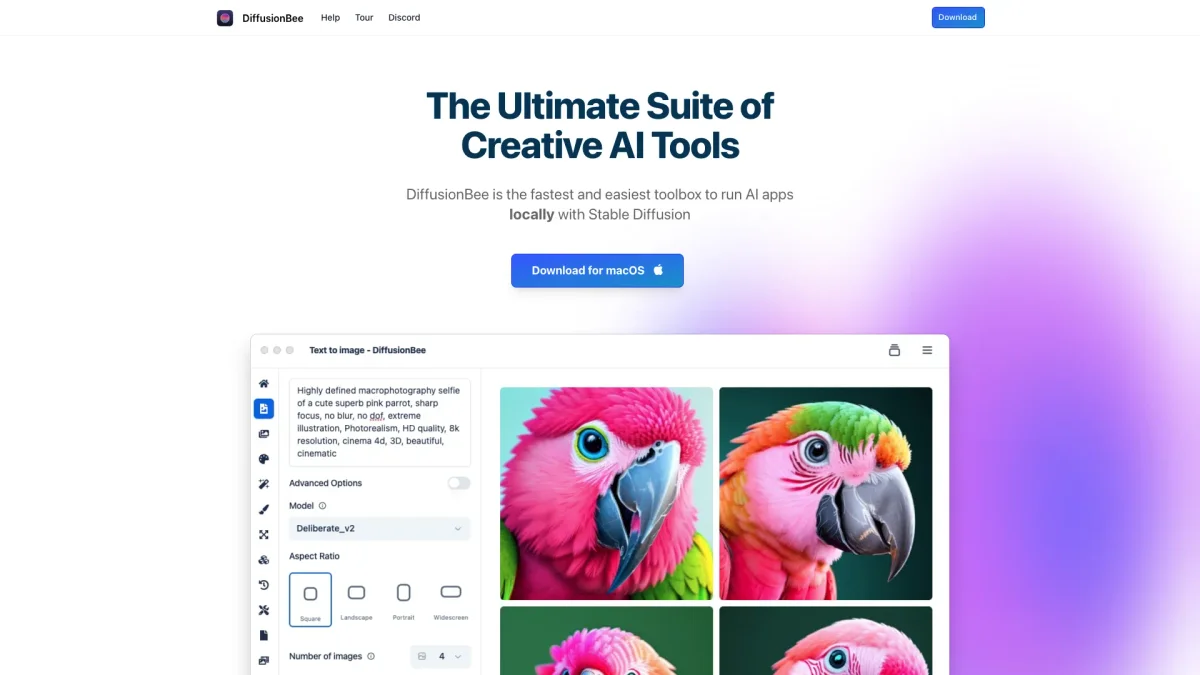
What is DiffusionBee?
DiffusionBee is a comprehensive suite of creative AI tools designed to run locally on macOS, providing users with the ability to generate and manipulate AI art efficiently. It addresses the common challenges of accessing and utilizing advanced AI capabilities by offering a user-friendly interface and a wide range of functionalities, allowing artists and creators to explore their imagination without relying on cloud services. The key benefits of DiffusionBee include its offline operation, ensuring user privacy and data security, as well as the ability to train custom models using personal datasets. This empowers users to create unique images and styles tailored to their specific needs. With features like text-to-image generation, image enhancement, and video tools, DiffusionBee enhances creativity and productivity, making it an essential tool for artists, designers, and anyone interested in AI-generated content.
Key Features
- Text to Image generation
- Generative Fill for image editing
- Video tools for animations
- Train custom models locally
- Image upscaling for quality enhancement
- Image variants generation
- Control images with specific structures
Who is it for?
- Digital artists and illustrators
- Graphic designers
- Content creators
- Video producers
- AI enthusiasts
Use Cases
1. Creating Unique Artwork
Utilize DiffusionBee's text-to-image feature to transform written prompts into unique artworks. Perfect for artists looking to explore new ideas or styles quickly.
2. Enhancing Existing Images
Use the image upscaling and generative fill tools to enhance and modify existing images. This is ideal for photographers and designers aiming to refine their visuals.
3. Training Custom AI Models
Train your own models on specific datasets to generate images that feature personalized objects or styles, allowing for a unique artistic expression tailored to individual preferences.
4. Producing Engaging Videos
Employ the various video tools to create animations and dynamic video content. This is particularly useful for video creators looking to integrate AI-generated elements into their projects.
Pricing Plans
Pricing information not available on website. Please visit the official website for current pricing.
Frequently Asked Questions
1. Where are the images generated?
Images are generated locally on your computer, ensuring that nothing is sent to the cloud. This guarantees user privacy and data security.
2. What are the minimum system requirements for DiffusionBee?
DiffusionBee requires macOS 13.1 or higher. While it works on Intel-based machines, it is optimized for Apple silicon for better performance.
3. Can I freely use the images generated?
Yes, users are free to use the generated images as long as they comply with the CreativeML Open RAIL-M license, allowing for personal and commercial use.
4. How long does it take to generate an image?
On an 8GB M1 MacBook Air, DiffusionBee takes approximately 30 seconds to generate an image. Performance may vary based on hardware specifications.
DiffusionBee Reviews & Ratings
Real user feedback and ratings for DiffusionBee. See what the community thinks about this AI tool.
No reviews yet
Be the first to share your experience with DiffusionBee