
DeepPDF
Your AI Research Assistant for PDFs
DeepPDF enhances your PDF experience with AI-driven tools for translation, summarization, and interactive analysis, tailored for research and learning.
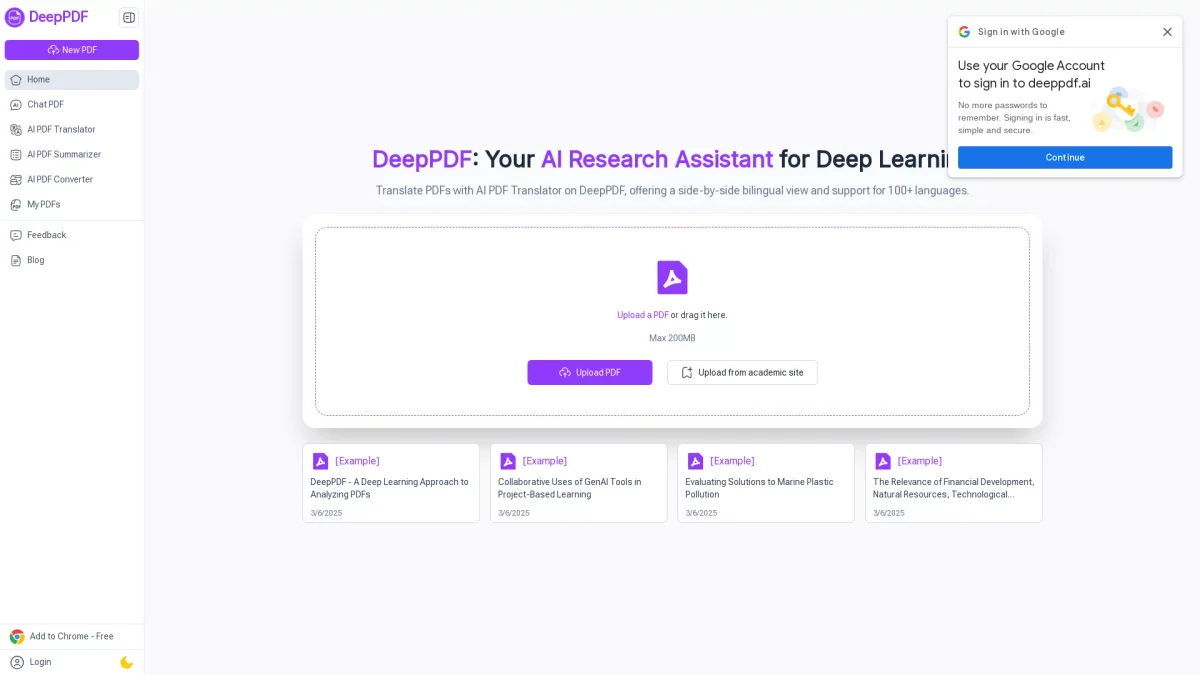
What is DeepPDF?
DeepPDF is an innovative AI tool designed to facilitate interaction with PDF documents, allowing users to chat with PDFs, summarize content, translate text, and analyze visual data. Its primary purpose is to enhance understanding and streamline workflows for researchers, students, and professionals by making complex documents more accessible and manageable. With features like AI-powered chat, translation support for over 100 languages, and summarization of lengthy texts, DeepPDF empowers users to extract relevant information quickly and efficiently. It is particularly beneficial for academic and business environments, where deep insights and clear communication are vital for success in research and learning endeavors.
Key Features
- Chat directly with your PDFs
- Instant bilingual translations
- Summarize lengthy documents
- Analyze images and formulas
- Convert PDFs to various formats
- Optical character recognition (OCR)
- Interactive PDF annotations
Who is it for?
- Researchers and academics
- Students and learners
- Business professionals
- Content creators and writers
- Multilingual users
Use Cases
1. Research Paper Analysis
Researchers can upload academic papers and utilize DeepPDF's chat feature to extract specific information, analyze data, and clarify complex concepts, streamlining their research process.
2. Multilingual Document Translation
Users can upload PDFs in various languages and use the AI PDF Translator to view side-by-side translations, making it easier to understand and compare content across languages.
3. Summarizing Long Reports
Business professionals can leverage the PDF Summarizer to condense lengthy reports into concise summaries, enabling quick understanding and efficient decision-making.
4. Interactive Learning Tools
Students can engage with their study materials by asking questions about the content directly, enhancing comprehension and retention of complex topics.
5. Data Extraction from Images
In technical documents, users can analyze graphical content and equations, allowing for easier understanding of visuals and their applications in the context of the text.
Pricing Plans
Pricing information not available on website. Please visit the official website for current pricing.
Frequently Asked Questions
1. What types of PDFs can I upload to DeepPDF?
DeepPDF supports various PDF formats, including academic papers, business documents, and scanned images, making it versatile for different user needs.
2. How does the AI PDF Translator work?
The AI PDF Translator offers side-by-side bilingual views of your PDF documents and supports translations in over 100 languages, ensuring accuracy while retaining original meanings.
3. Can I convert PDFs to other formats?
Yes, DeepPDF allows users to convert PDFs into multiple formats such as Word, Excel, and images, facilitating compatibility with various tools and workflows.
4. Is DeepPDF suitable for academic use?
Absolutely. DeepPDF is designed with researchers and students in mind, offering tools that enhance understanding and interaction with academic texts, making it ideal for scholarly work.
DeepPDF Reviews & Ratings
Real user feedback and ratings for DeepPDF. See what the community thinks about this AI tool.
No reviews yet
Be the first to share your experience with DeepPDF