CreateYourThumbnail
AI-Powered Thumbnails for YouTube Success
Create stunning, professional thumbnails for your YouTube videos in seconds, enhancing your click-through rates with our AI-driven technology.
What is CreateYourThumbnail?
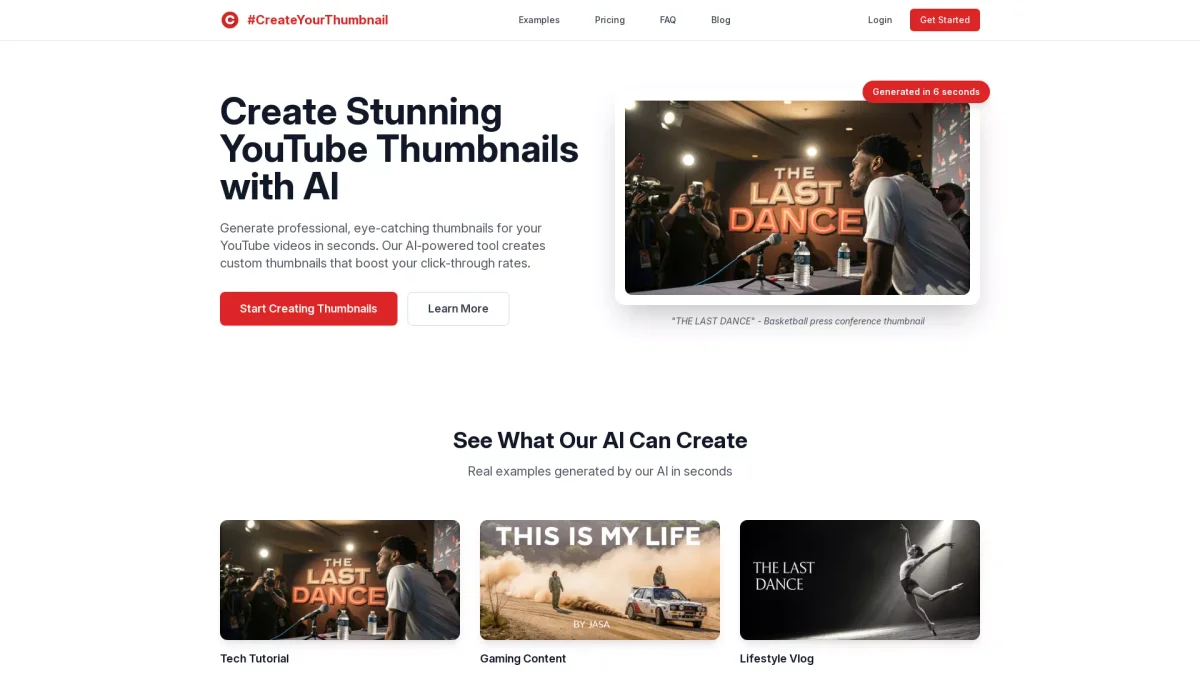
CreateYourThumbnail is an AI-powered tool designed to generate eye-catching YouTube thumbnails quickly and efficiently. It solves the common problem of low click-through rates by providing users with custom, professional-quality thumbnails tailored to their video content. This tool eliminates the need for design skills, allowing anyone to create attractive thumbnails that attract viewers in just seconds. The key benefits of CreateYourThumbnail include rapid thumbnail generation, high-resolution images optimized for YouTube, and flexible pricing plans. Users can create multiple thumbnails without subscription commitments, making it ideal for both occasional and frequent content creators. By using this tool, users can significantly boost their video engagement and grow their channels with minimal effort.
Key Features
- AI-powered thumbnail generation
- Fast generation in 6 seconds
- Multiple aspect ratios available
- High-quality images optimized for YouTube
- Face swap technology for custom thumbnails
- Affordable credit-based pricing
Who is it for?
- YouTube content creators
- Social media marketers
- Vloggers and influencers
- Gaming channel owners
- Tech tutorial creators
Use Cases
1. Boosting Click-Through Rates
Create compelling thumbnails that capture viewer attention and increase click-through rates. Use high-contrast colors and engaging visuals to entice viewers to click on your videos.
2. Efficient Thumbnail Creation for Regular Uploads
For regular content creators, CreateYourThumbnail offers a quick way to produce multiple high-quality thumbnails tailored to different videos, streamlining the upload process and maintaining engagement.
3. Engaging Thumbnails for Gaming Content
Generate vibrant and dynamic thumbnails that reflect the excitement of gaming content. Utilize eye-catching designs to attract gamers and enhance your channel's visibility.
4. Professional Thumbnails for Tech Tutorials
Create clean and modern thumbnails that convey professionalism for tech tutorials. A well-designed thumbnail can help establish authority and attract a dedicated audience.
Pricing Plans
Starter: $2.99 for 10 credits - High-quality images and multiple aspect ratios, Creator: $4.99 for 20 credits - Includes priority support and more thumbnail generations, Pro: $9.99 for 50 credits - Designed for power users with ample thumbnail generation options.
Frequently Asked Questions
1. What is the recommended YouTube thumbnail size?
The recommended YouTube thumbnail size is 1280 x 720 pixels with a 16:9 aspect ratio, ensuring your thumbnails appear sharp and professional across all devices.
2. How do credits work for thumbnail generation?
Each credit equals one thumbnail generation. You can purchase credits as needed, and they do not expire, allowing you to use them whenever you want without pressure.
3. Can I use CreateYourThumbnail for commercial projects?
Yes, you can use CreateYourThumbnail for commercial projects. The tool is designed to help creators produce high-quality thumbnails that can be used for monetized content on YouTube.
4. Is there a free trial available?
There is no free trial offered, but you can start with the Starter plan for $2.99, which provides 10 thumbnail generations to test the service.
CreateYourThumbnail Reviews & Ratings
Real user feedback and ratings for CreateYourThumbnail. See what the community thinks about this AI tool.
No reviews yet
Be the first to share your experience with CreateYourThumbnail