
Cmd J
Your efficient AI writing assistant
Cmd J is a powerful AI assistant that enhances productivity by providing instant content suggestions, coding help, and efficient search capabilities directly in your browser.
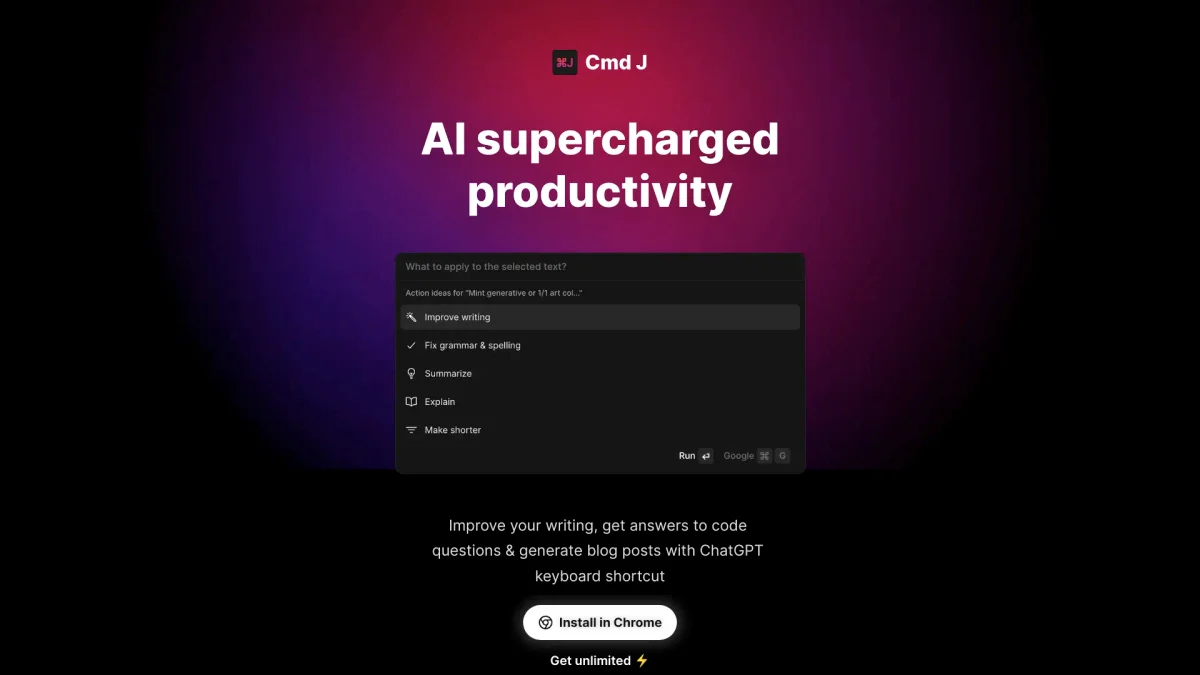
What is Cmd J?
Cmd J is a keyboard-triggered AI assistant designed to streamline the writing and coding process within your browser. By simply pressing Cmd + J on macOS or Alt + J on Windows, users can access instant content suggestions, answers, and code explanations without disrupting their workflow. It effectively addresses common productivity challenges by eliminating the need to switch tabs or open new windows for assistance. This tool benefits a diverse range of users, including writers, developers, and researchers, by providing context-sensitive suggestions and simplifying content creation. Cmd J helps break through writing blocks, offers debugging support for code, and delivers quick answers to research questions—making it an invaluable resource for anyone looking to enhance their productivity and efficiency while working on various tasks throughout the day.
Key Features
- Instant content suggestions
- Context-sensitive responses
- Seamless browser integration
- Compact popup interface
- No dashboard management required
- Fast response times
- Useful across multiple content types
Who is it for?
- Writers and content creators
- Developers and engineers
- Researchers and knowledge workers
- Students and academics
Use Cases
1. Efficient Content Drafting
Quickly draft articles, emails, or social media posts by prompting Cmd J for ideas or variations. This saves time and helps overcome writer's block, allowing for faster content production.
2. Debugging Code Effortlessly
When encountering issues in coding, simply paste the code into Cmd J to receive debugging suggestions and cleaner syntax. This speeds up development and enhances coding efficiency.
3. Summarizing Research Articles
Research professionals can input complex topics or articles into Cmd J and receive concise summaries, making it easier to grasp key points without sifting through lengthy texts.
4. Improving Customer Communication
Enhance customer support responses by using Cmd J to refine tone and clarity before sending replies, ensuring that communications are professional and effective.
5. Generating Product Descriptions
E-commerce sellers can utilize Cmd J to create engaging product descriptions or CTAs quickly, adapting suggestions to fit their brand voice and target audience.
Pricing Plans
Free: Limited features with slower speeds, Pro: $X/month - Unlimited prompts and priority processing, Enterprise: Custom pricing - Tailored solutions for large teams.
Frequently Asked Questions
1. What features does the free version of Cmd J include?
The free version of Cmd J includes basic functionality, allowing users to access limited prompts and features at a slower processing speed, suitable for casual users.
2. How does Cmd J assist developers?
Cmd J aids developers by reading and explaining code, suggesting cleaner syntax, and helping debug issues directly within the browser, eliminating the need for external resources.
3. Can Cmd J be used for research purposes?
Yes, Cmd J is ideal for researchers as it provides direct answers to queries, summarizing complex information and saving time that would otherwise be spent skimming through sources.
4. Is Cmd J available for various platforms?
Cmd J is designed as a Chrome extension, allowing it to run seamlessly within the Chrome browser, making it accessible for users on any device that supports Chrome.
Cmd J Reviews & Ratings
Real user feedback and ratings for Cmd J. See what the community thinks about this AI tool.
No reviews yet
Be the first to share your experience with Cmd J