Cascadeur
AI-assisted keyframe animation made easy
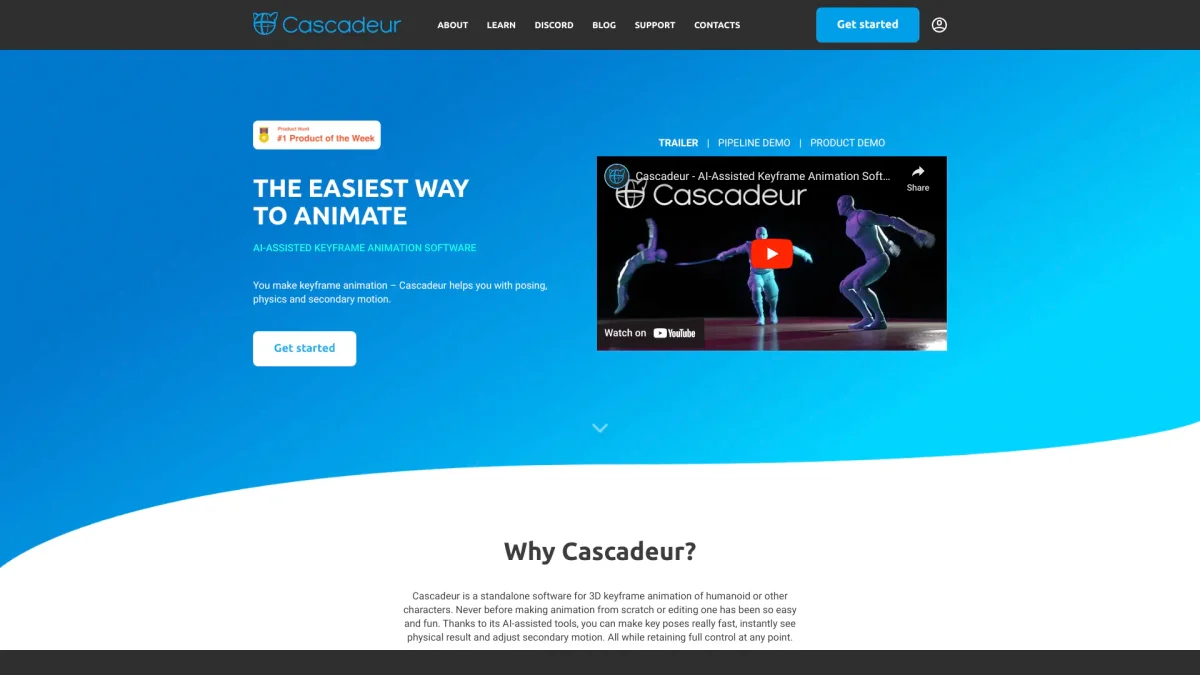
Cascadeur is a groundbreaking 3D software that accelerates the animation process through AI assistance, helping you create high-quality animations effortlessly.
What is Cascadeur?
Cascadeur is a standalone 3D animation software that simplifies the process of creating and editing keyframe animations. It addresses the complexities of traditional animation workflows by offering AI-assisted and physics tools, which dramatically enhance efficiency and quality. With support for popular file formats like .FBX, .DAE, and .USD, Cascadeur integrates seamlessly into existing animation pipelines, making it accessible for various users from hobbyists to professionals. The key benefits of Cascadeur include its intuitive interface and innovative features such as AutoPosing and Animation Unbaking. These tools allow users to create natural poses easily, edit baked animations, and achieve realistic motion with minimal effort. Whether you're a game developer, filmmaker, or animator, Cascadeur enhances your creative process, enabling you to produce compelling animations faster and with greater ease than traditional methods.
Key Features
- AI-assisted keyframe animation
- Quick Rigging Tool for easy rigging
- Animation Unbaking for editable animations
- AutoPhysics for realistic motion
- Video Mocap integration
- One-click retargeting for animations
- Intelligent finger controllers
Who is it for?
- 3D animators and artists
- Game developers and designers
- Filmmakers and VFX professionals
- Students in animation programs
- Independent creators and hobbyists
Use Cases
1. Creating Game Character Animations
Use Cascadeur to animate characters for video games. Its AI tools streamline the animation process, allowing you to create lifelike movements and gestures that enhance gameplay experience.
2. Editing Motion Capture Data
Import motion capture data into Cascadeur and use Animation Unbaking to make adjustments. Clean up the animations with AI-assisted tools for high-quality results without starting from scratch.
3. Producing Animated Shorts
Filmmakers can leverage Cascadeur’s features to create animated shorts. The intuitive interface and physics tools help bring characters to life, making it easier to produce engaging stories.
4. Designing Realistic Poses for 3D Models
Utilize AutoPosing to create natural poses quickly. This feature enables animators to focus on creativity while the AI handles the details of body positioning.
Pricing Plans
Pricing information not available on website. Please visit the official website for current pricing.
Frequently Asked Questions
1. Does Cascadeur offer a free trial?
Yes, Cascadeur allows users to try the software for free, enabling them to explore its features before making any financial commitment.
2. What file formats can I use with Cascadeur?
Cascadeur supports .FBX, .DAE, and .USD file formats, making it compatible with a wide range of animation workflows and software.
3. Can I use Cascadeur for commercial projects?
Absolutely! Cascadeur is suitable for both personal and commercial projects, providing the tools needed to create professional-quality animations.
4. How does Cascadeur enhance the animation process?
Cascadeur enhances animation by utilizing AI-driven tools like AutoPosing and AutoPhysics, which streamline the rigging, posing, and motion creation processes, allowing for faster and more realistic animations.
Cascadeur Reviews & Ratings
Real user feedback and ratings for Cascadeur. See what the community thinks about this AI tool.
No reviews yet
Be the first to share your experience with Cascadeur