
Bigmp4
Transform Your Videos with AI Enhancement
Bigmp4 utilizes cutting-edge AI to enlarge, enhance, and colorize videos, providing stunning visual improvements effortlessly.
What is Bigmp4?
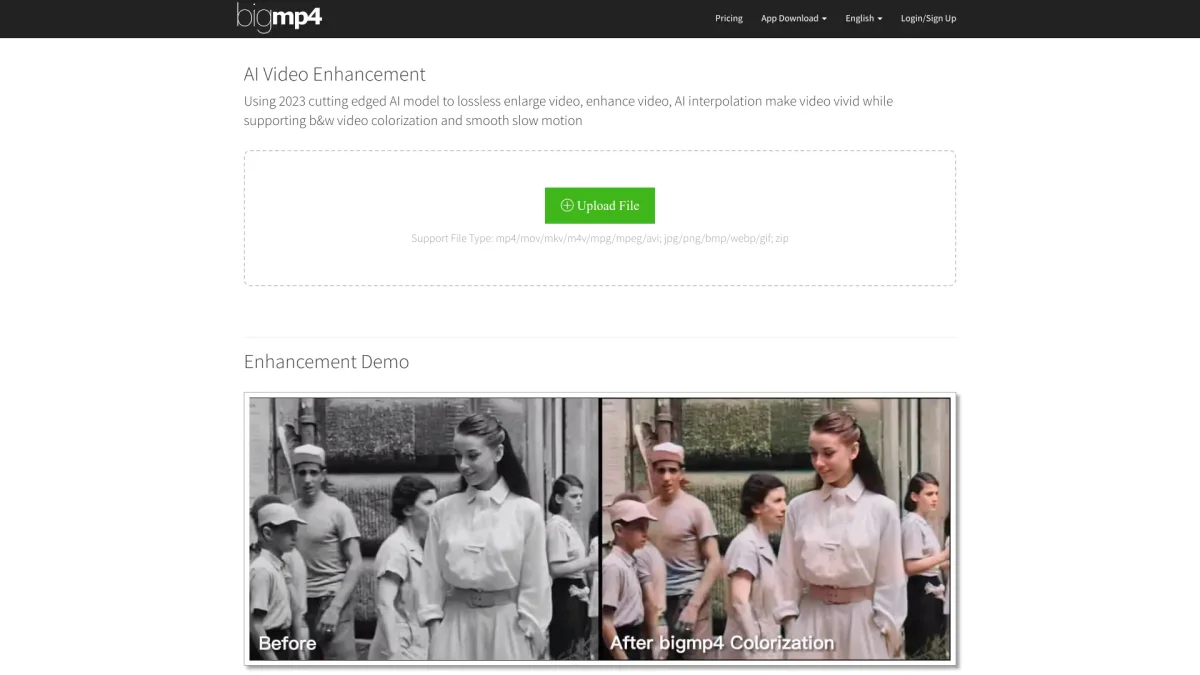
Bigmp4 is an advanced AI video enhancement tool designed to elevate video quality through lossless enlargement, vivid enhancement, and colorization of black-and-white footage. Utilized by content creators and filmmakers, it addresses common challenges in video production by enabling users to transform their videos into high-definition masterpieces effortlessly, ensuring they stand out in a competitive landscape. With Bigmp4, users benefit from AI interpolation that increases frame rates for smooth motion, alongside features like batch processing for efficiency. This powerful tool is especially useful for those looking to restore old footage, enhance video clarity, and achieve professional results without extensive editing skills. Its user-friendly interface and high-performance capabilities make it an essential resource for anyone serious about video content creation.
Key Features
- Lossless video enlargement up to 8K
- AI-enhanced video quality improvement
- Black-and-white video colorization
- AI interpolation for smoother motion
- Batch processing for multiple files
- Supports various video and image formats
- User-friendly interface for easy navigation
Who is it for?
- Content creators and filmmakers
- Video editing professionals
- Digital marketing agencies
- Social media influencers
Use Cases
1. Restoring Vintage Films
Use Bigmp4 to enhance old black-and-white films by colorizing them and enlarging their resolution, providing a fresh and vibrant viewing experience while preserving historical content.
2. Creating Engaging Social Media Content
Enhance videos for social media platforms by utilizing Bigmp4's AI features to improve quality and add color to previously dull footage, ensuring captivating content that attracts viewers.
3. Improving Video Quality for Marketing
Marketers can elevate promotional videos by using Bigmp4 to enhance video quality and resolution, ensuring that their brand stands out with visually stunning content that resonates with audiences.
4. Smooth Slow Motion Effects
Utilize Bigmp4's AI interpolation to create silky smooth slow motion effects in action videos, enhancing their visual appeal for sports and dynamic content.
Pricing Plans
Free: Limited features with 10M file limit, Pro: $6 USD for 300 GPU points - 100M file limit and priority processing, Enterprise: Custom pricing - tailored solutions with additional features.
Frequently Asked Questions
1. What file formats does Bigmp4 support?
Bigmp4 supports a variety of video formats including mp4, mov, mkv, avi, as well as image formats like jpg, png, and gif, ensuring compatibility with most media types.
2. How long does processing take for videos?
Processing time varies based on the file size and complexity of the task. Generally, the progress bar provides an estimate, but actual time may differ depending on your file's frame count.
3. Is there a limit on file size for free users?
Yes, free users have a file upload limit of 10M. Upgrading to Pro increases this limit to 100M, allowing for larger video files to be processed.
4. What happens to my uploaded files after processing?
Uploaded files and their processed results are automatically deleted within a week to ensure user privacy and data security, making it a safe option for video enhancement.
Bigmp4 Reviews & Ratings
Real user feedback and ratings for Bigmp4. See what the community thinks about this AI tool.
No reviews yet
Be the first to share your experience with Bigmp4