BabyFilter
Transform Your Photos into Baby Faces!
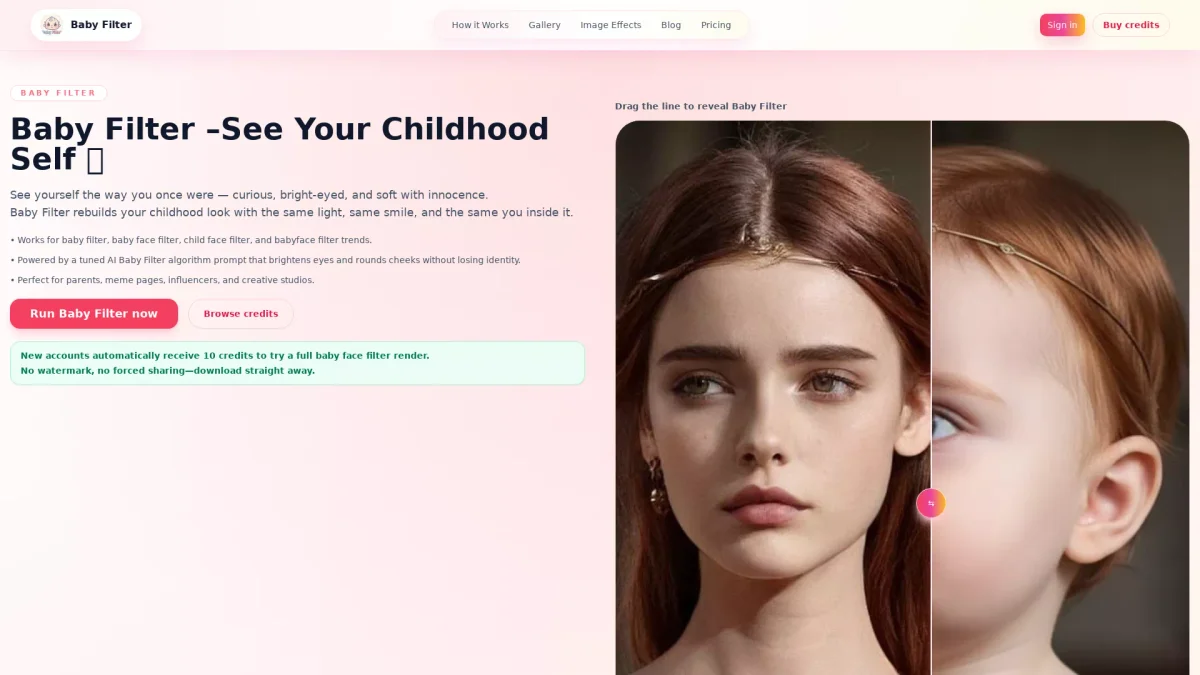
BabyFilter generates photorealistic babyface renditions from your portraits, capturing the essence of your childhood look with stunning accuracy and ease.
What is BabyFilter?
BabyFilter is an innovative tool that utilizes a tuned AI algorithm to transform adult portraits into adorable babyface renders. Its primary purpose is to provide users with a nostalgic glimpse of their younger selves by softening facial features while maintaining individual identity. This unique filter addresses the demand for high-quality, consistent babyface visuals that can be used for various creative projects and social media applications. The key benefits of BabyFilter include its user-friendly interface and efficient processing capabilities, allowing users to upload images and receive instant, high-resolution outputs. Perfect for parents, influencers, and content creators, BabyFilter streamlines the process of creating engaging visuals for social media posts, campaigns, and personal projects. With no manual editing required, users can enjoy a hassle-free experience while achieving stunning results that resonate with their audiences.
Key Features
- Photorealistic babyface transformations
- Supports JPG, PNG, and WebP formats
- Instant previews and downloads
- Multiple output sizes available
- No watermark on final renders
- Batch generation for multiple portraits
- User-friendly upload and processing workflow
Who is it for?
- Parents wanting fun visuals
- Social media influencers
- Creative studios and agencies
- Meme creators and enthusiasts
- Digital marketers
Use Cases
1. Baby Reveal Teasers
Generate whimsical babyface images to create excitement around baby reveals. These images can be shared on social media, engaging friends and family in a fun guessing game about the baby's appearance.
2. Nostalgia Edits
Transform cherished family portraits into nostalgic babyface renditions. This use case is perfect for creating heartfelt content that resonates with audiences on social media, tapping into the nostalgia of childhood.
3. Creative Campaign Giveaways
Use BabyFilter images in marketing campaigns to attract attention and engagement. The unique visuals can be part of promotional materials, enhancing brand interaction and drawing in potential customers.
4. Fan Edits for Celebrities
Create fun and engaging fan edits of celebrities by applying BabyFilter to their images. This can be used in fan art, social media posts, and interactive content that encourages sharing and engagement.
Pricing Plans
Free: 10 credits for trial renders, Pro: $9/month - 30 credits, Standard: $19/month - 100 credits, Agency: $29/month - unlimited renders.
Frequently Asked Questions
1. Does BabyFilter offer a free trial?
Yes, new accounts receive 10 free credits to try a full baby face filter render with no watermark or forced sharing.
2. What file formats does BabyFilter support?
BabyFilter supports JPG, PNG, and WebP file formats for uploads, allowing a variety of images to be processed seamlessly.
3. Can I use BabyFilter for commercial projects?
Absolutely! BabyFilter is designed for both personal and commercial use, making it ideal for marketers, content creators, and studios.
4. How does the batch generation feature work?
Batch generation allows users to upload up to 9 portraits at a time, unlocking faster processing times and making it easier to create multiple babyface renders efficiently.
BabyFilter Reviews & Ratings
Real user feedback and ratings for BabyFilter. See what the community thinks about this AI tool.
No reviews yet
Be the first to share your experience with BabyFilter