AniFlowAI
Create stunning anime visuals effortlessly
AniFlowAI transforms ideas into polished anime scenes using prompt-driven workflows and reference-guided iterations for creators and enthusiasts alike.
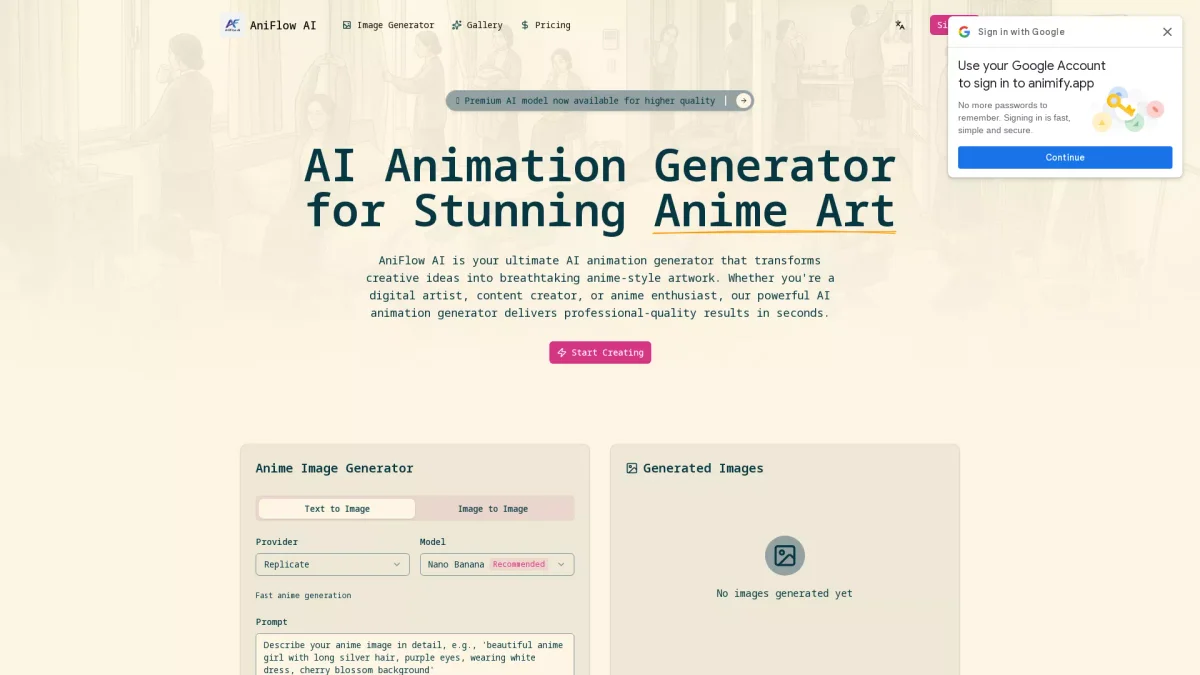
What is AniFlowAI?
AniFlowAI is an innovative anime creation studio designed to streamline the process of generating anime visuals. By allowing users to write prompts and utilize references, it effectively turns rough ideas into polished, production-ready scenes. This tool addresses the common challenges faced by creators in achieving high-quality anime outputs efficiently, providing a focused workspace that enhances the creative process. With features like prompt-first control, reference-guided iteration, and flexible export options, AniFlowAI empowers users to create captivating visuals quickly. It caters to both seasoned artists and newcomers, enabling them to explore various styles—from Studio Ghibli to cyberpunk. By simplifying the generation of stunning anime images, AniFlowAI encourages creative expression and helps users produce showcase-ready outputs with ease.
Key Features
- Prompt-first control for focused creation
- Reference-guided composition with up to 14 images
- Flexible export options for various resolutions
- Fast anime generation with a clean workflow
- Curated style presets for diverse aesthetics
Who is it for?
- Anime artists and illustrators
- Content creators and animators
- Game developers and designers
- Social media marketers
- Hobbyists and anime enthusiasts
Use Cases
1. Creating Character Designs
Use AniFlowAI to generate unique character designs by inputting descriptive prompts and reference images. This allows artists to visualize their ideas quickly, refining characters for stories or games.
2. Developing Anime Scenes for Projects
Craft detailed anime scenes for personal or professional projects. AniFlowAI's prompt and reference features streamline scene creation, making it easier to achieve the desired atmosphere and aesthetics.
3. Generating Social Media Content
Create eye-catching anime visuals for social media platforms. By utilizing various styles and rapid generation capabilities, users can produce engaging content that resonates with their audience.
4. Exploring Different Art Styles
Experiment with various anime styles using curated presets. AniFlowAI allows users to append styles to their prompts, enabling exploration of new artistic directions effortlessly.
Pricing Plans
Pricing information not available on website. Please visit the official website for current pricing.
Frequently Asked Questions
1. How long does it take to generate an image?
The AI animation generator in AniFlowAI typically produces images quickly, allowing users to iterate efficiently without losing creative momentum.
2. Can I use generated images commercially?
Yes, users can utilize the outputs from AniFlowAI for commercial projects, making it a versatile tool for artists and creators.
3. What types of styles are available in AniFlowAI?
AniFlowAI offers a range of curated style presets, including Studio Ghibli, Cyberpunk, Watercolor, and more. Users can easily append these styles to their prompts.
4. Is there a limit on the number of references I can use?
Users can mix up to 14 reference images to guide composition, color, and consistency, enhancing the creative process in AniFlowAI.
AniFlowAI Reviews & Ratings
Real user feedback and ratings for AniFlowAI. See what the community thinks about this AI tool.
No reviews yet
Be the first to share your experience with AniFlowAI