
AdsLibrary
Your Ultimate Ad Management Tool
Effortlessly save, track, and share ads from multiple platforms in one organized library, perfect for creative teams and marketers.
What is AdsLibrary?
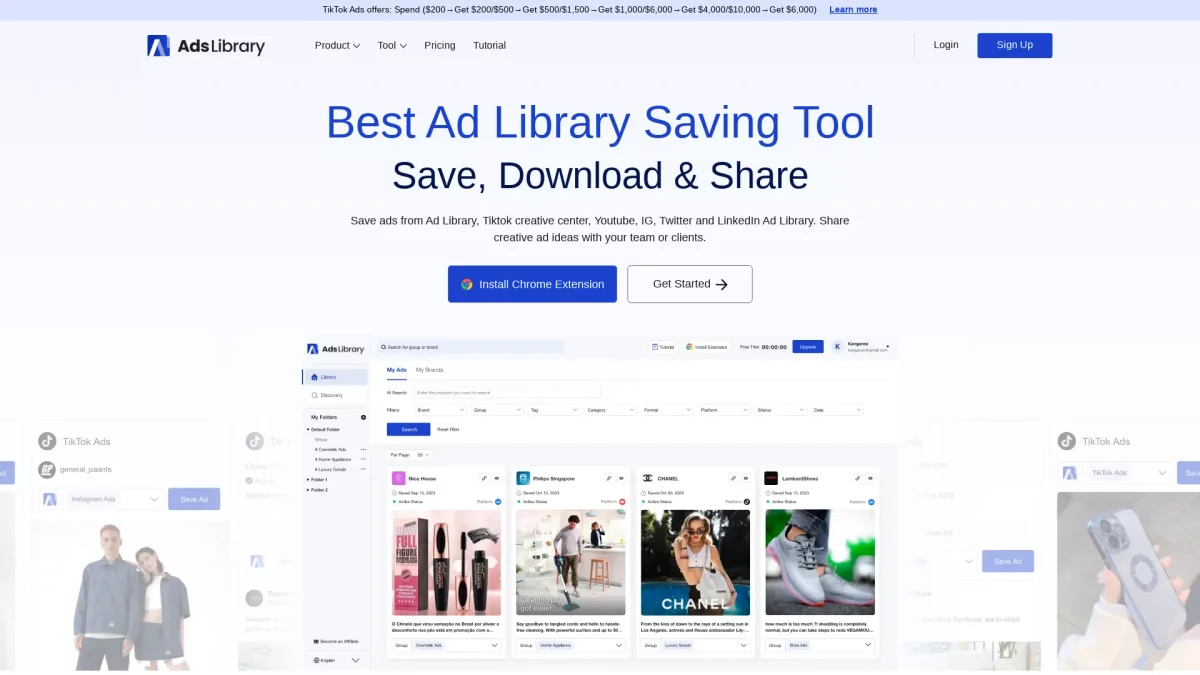
AdsLibrary is an advanced ad management tool designed to help users save, track, and share ads from various platforms including Facebook, TikTok, YouTube, and Instagram. Its primary purpose is to streamline the process of collecting and organizing advertising creatives, making it easier for users to gain inspiration and analyze trends. By centralizing ad assets, AdsLibrary addresses the challenge of managing disparate ad campaigns across different social media channels. With AdsLibrary, users benefit from a user-friendly interface that allows for quick saving and categorization of ads, real-time tracking of competitors' ads, and the ability to share insights with team members. The tool enhances collaboration among marketing teams and empowers users to build a creative swipe file that fosters innovation. Whether you're a marketer, strategist, or creative professional, AdsLibrary simplifies ad management and boosts productivity.
Key Features
- Save ads from multiple platforms
- Real-time ad tracking for competitors
- Organize ads in a personal library
- Download media and ad data easily
- Share ads and groups with teams
- Create and manage custom folders
Who is it for?
- Digital marketing agencies
- Creative teams and strategists
- Social media managers
- Brand managers and advertisers
Use Cases
1. Competitor Ad Analysis
Track and analyze competitors' advertising strategies in real-time. AdsLibrary allows you to monitor active ads, providing insights into what works in your industry and helping you stay ahead of trends.
2. Creative Inspiration Collection
Build a swipe file of effective ad creatives from various platforms. Use AdsLibrary to save and categorize ads that inspire your campaigns, making it easy to revisit and share ideas with your team.
3. Efficient Ad Sharing
Easily share individual ads or entire groups with team members or clients. AdsLibrary enables you to add comments and context, facilitating better communication and collaboration on advertising projects.
Pricing Plans
Pricing information not available on website. Please visit the official website for current pricing.
Frequently Asked Questions
1. What platforms can I save ads from using AdsLibrary?
AdsLibrary allows you to save ads from various platforms including Facebook Ad Library, TikTok, YouTube, Instagram, and more, making it a comprehensive ad management solution.
2. How can I categorize my saved ads?
You can categorize your saved ads into folders and groups, enabling efficient management and easy retrieval of your ad creatives based on different campaigns or themes.
3. Can I download ads in bulk?
Yes, AdsLibrary supports bulk downloading of ads, allowing you to efficiently capture multiple ads at once, along with their media and data for your records.
4. Is there a Chrome extension for AdsLibrary?
Yes, AdsLibrary offers a Chrome extension that enables users to save ads and posts with just one click, streamlining the process of capturing ad creatives directly from your browser.
AdsLibrary Reviews & Ratings
Real user feedback and ratings for AdsLibrary. See what the community thinks about this AI tool.
No reviews yet
Be the first to share your experience with AdsLibrary